Press
Offhand AI, LLC makes Offhand MCP, a shared to-do list for AI agents at offhandapp.com/mcp. Its iPhone app, Offhand: Voice To Do & Notes, turns a spoken note into a to-do list. See the company page or write to support@offhandapp.com.
Everything on this page is also on the App Store listing or elsewhere on this site, so it can be quoted as it stands. Questions, and the raw captures behind the images below, from support@offhandapp.com. There is a person at the other end and no ticket system.
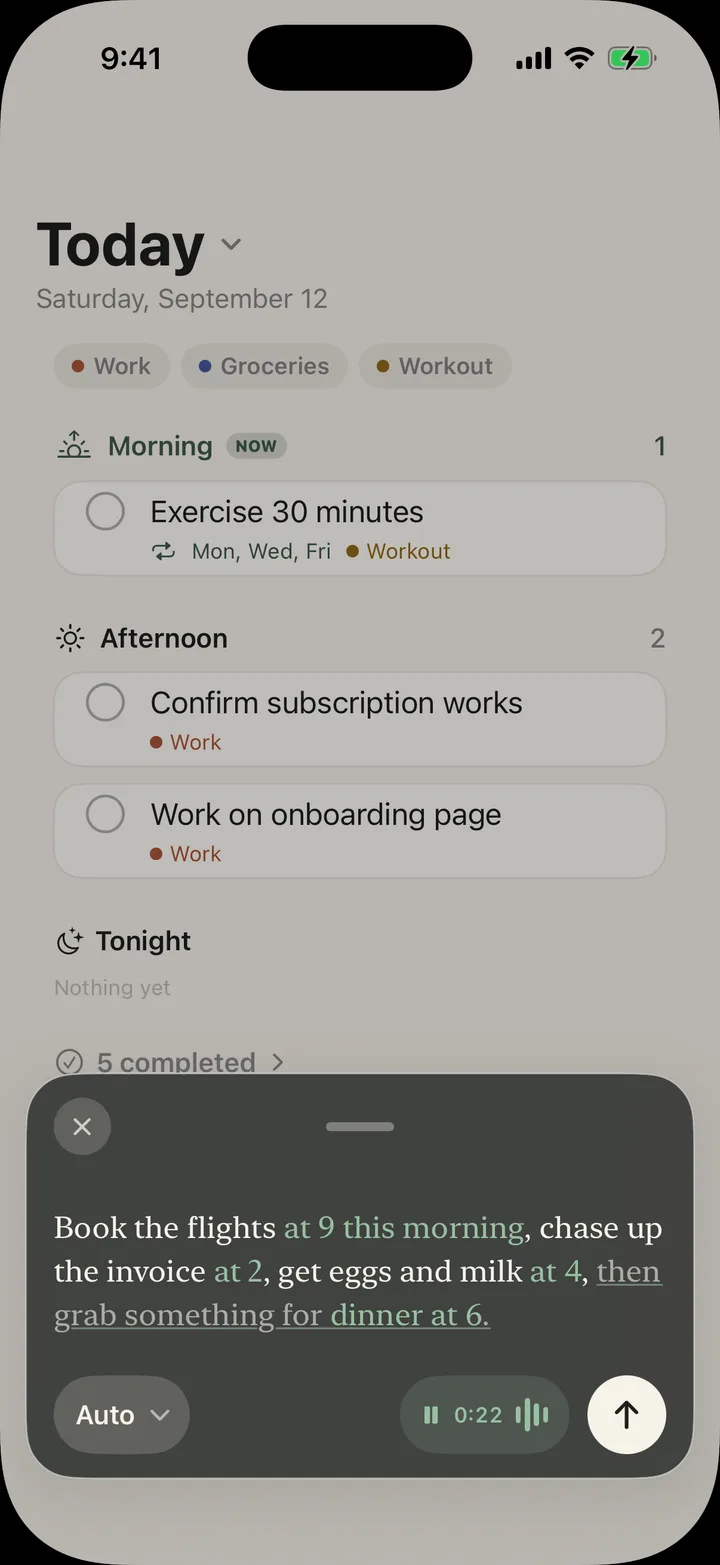
One note becomes separate tasks. “Call the dentist first thing, then pick up the dry cleaning this afternoon” is two tasks in two parts of the day.
A task that names a clock time alerts you at that time. A task that names only a day waits quietly on that day.
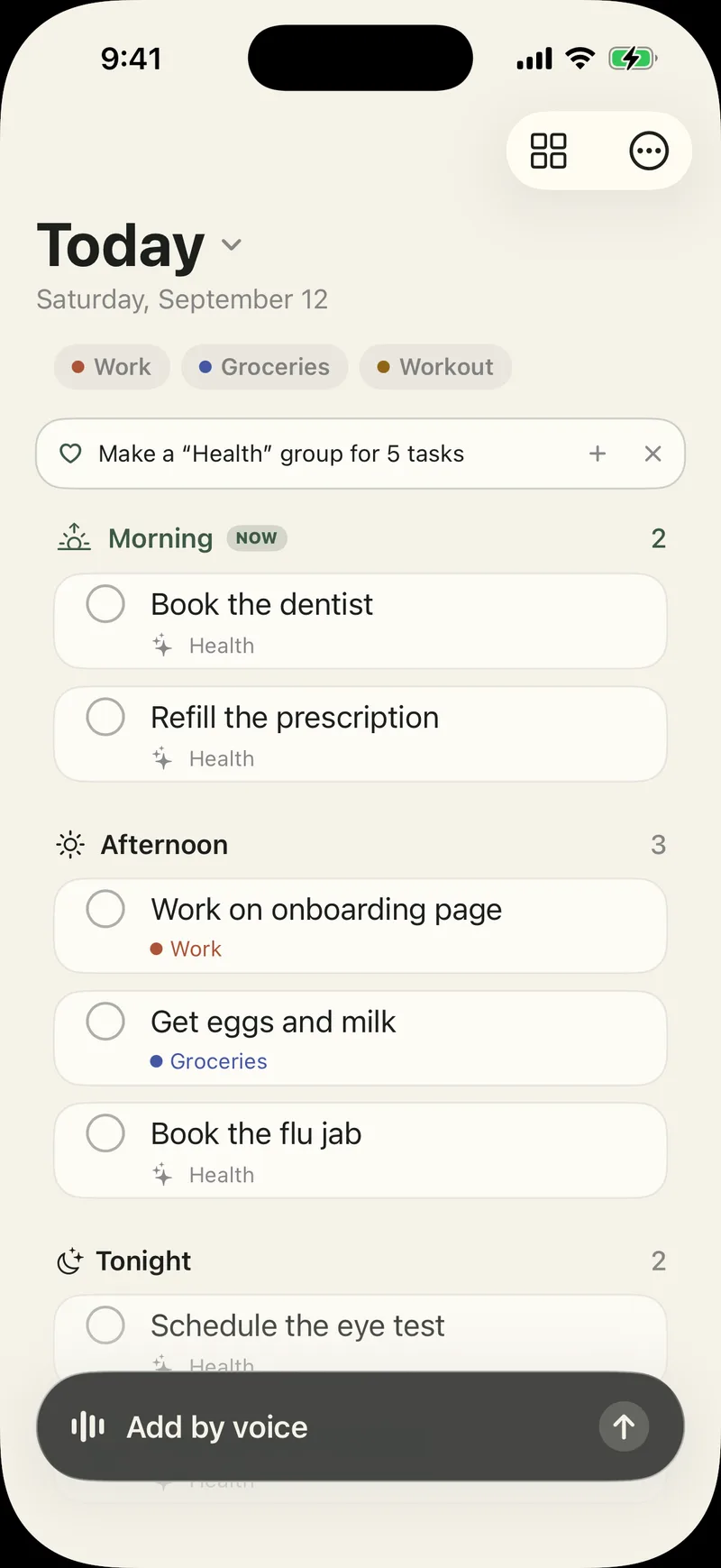
It marks what each task is about, like Groceries or Work. When five tasks of one kind pile up, it offers to make a group. Nothing moves until you tap.
Drag a card to another part of the day, or to another day.
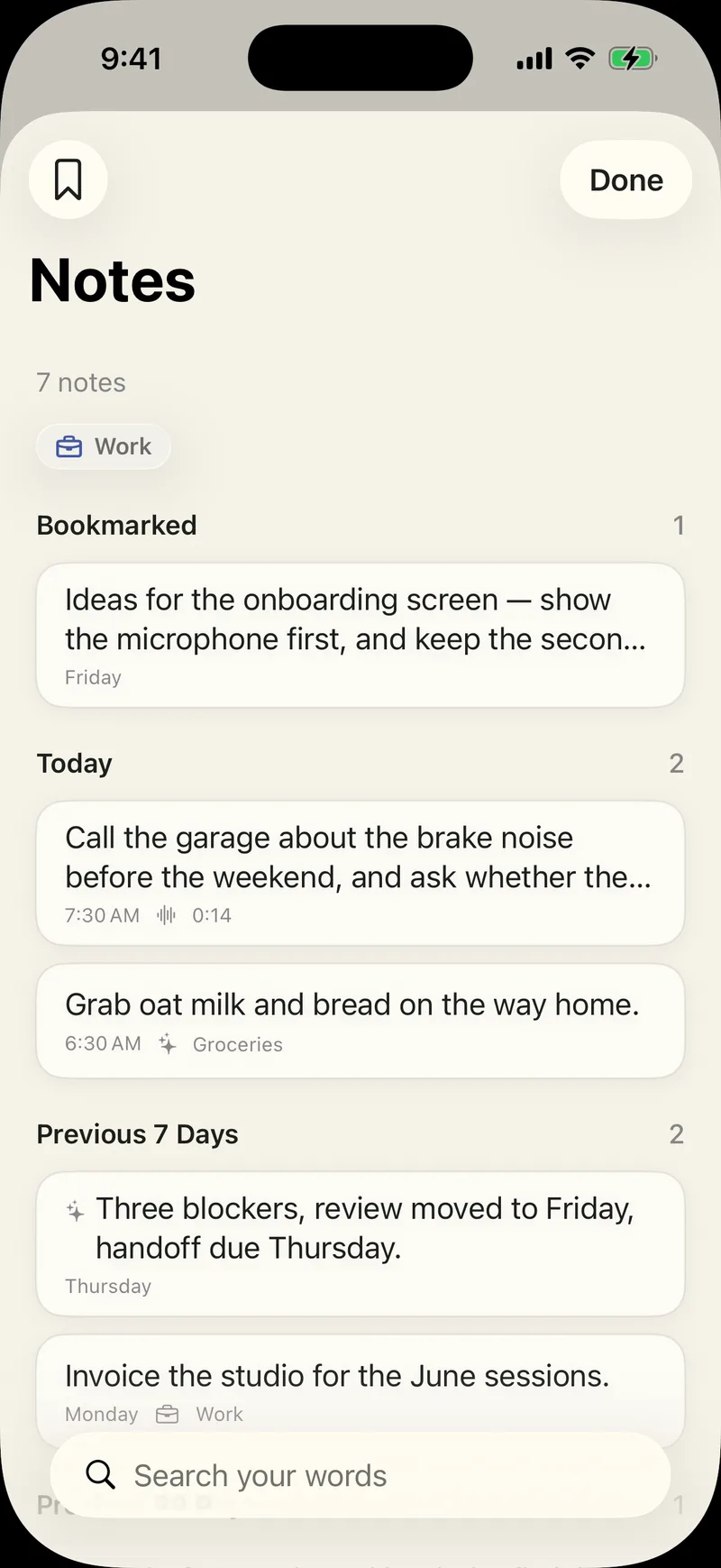
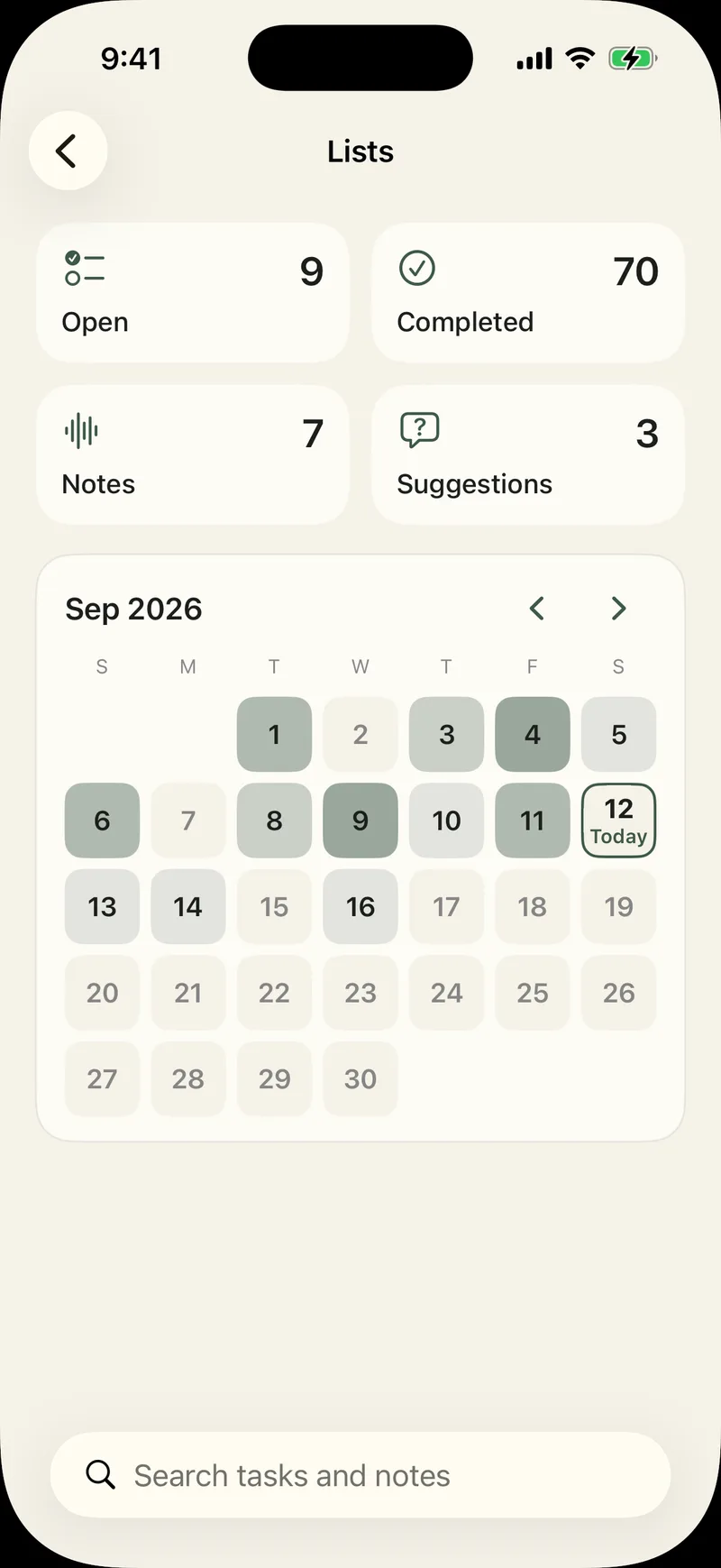
Lists shows everything in one place: open tasks, completed tasks, notes, and a month of days. Search reads the whole note, not just the title.
After each capture, a receipt shows the words it heard. When it cannot find a task in what you said, it saves the note and says so. It does not invent one.
Transcription is by SpeechAnalyzer, on device. Task extraction is by Foundation Models, on device. Offhand is free to download; speaking, the Action Button, your list, notes and search stay free. Pro is an optional subscription, Monthly or Yearly, and it unlocks the Home Screen widget, the Lock Screen button and the Control Center control; the two switches above; and a second pass over each recording — measured on a Mac over 620 recordings in Offhand’s own format, it made about 12% fewer mistakes. The upgrade page names the price before anything is charged.
The four screens are unedited captures of the 1.1.2 build, the one in the App Store, on an iPhone 17 Pro simulator, taken 12 September 2026. On this site they sit in a drawn handset, not a photograph, so no Apple product imagery is involved. The raw 1206 × 2622 PNG captures are available on request.
Offhand AI, LLC makes Offhand MCP, a free MCP server at https://offhandapp.com/mcp that gives your AI agents one shared to-do list. One agent hands another a task, the other does it and says what it did, and you see all of it on your list. The long-term goal is AI teams: several agents, each doing what it's best at, working together for you. Offhand also has an iPhone app, Offhand: Voice To Do & Notes, which turns a spoken note into a to-do list. Speech recognition and the model that reads the note both run on the device, and the app needs no account and has no analytics. It needs an iPhone 15 Pro or newer, listens in one of three languages at a time, and is free on the App Store with an optional Pro subscription. Offhand is made by Offhand AI, LLC.
Free describes the Offhand Cloud account and agent address, not the apps’ Pro features or the plans of connected agents. An agent’s own app determines when it starts work.